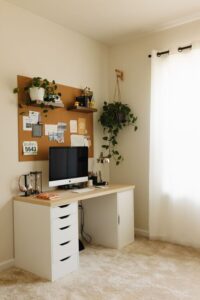
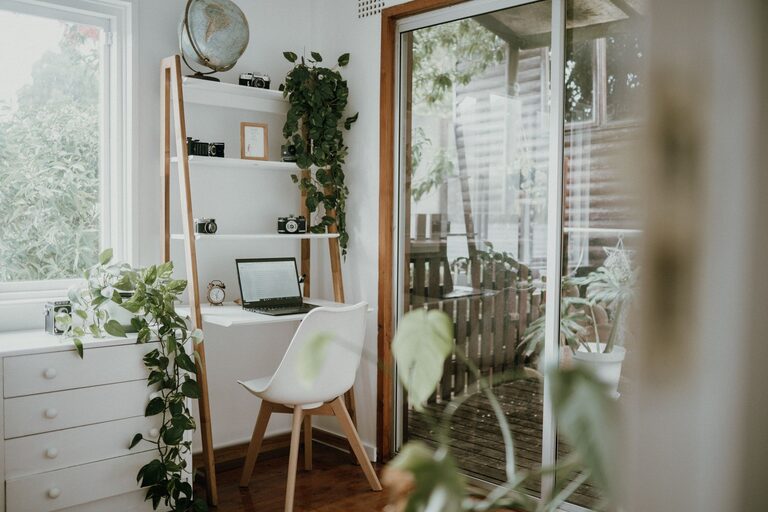
Creating a home office that feels cozy yet boosts your productivity is key to working well from home. Whether you’re new to remote work or looking to refresh your space, combining comfort and function can make a big difference in your daily work habits. In this post, we’ll explore practical tips to design a home office that keeps you comfortable, focused, and motivated.
Why a Cozy and Productive Home Office Matters
Working from home has become common for many, and having a dedicated workspace helps separate work from personal life. A cozy environment makes spending hours at your desk more pleasant, while a productive setup supports your focus and efficiency. Together, these qualities can improve your work experience and overall well-being.
Choose the Right Location
Start by selecting a spot in your home that works well for your needs.
– Natural Light: Aim for a space near windows to enjoy natural light, which can boost mood and alertness.
– Quiet area: Pick a quieter corner away from heavy traffic or noise interruptions.
– Comfortable Space: Ensure there’s enough room for your desk, chair, and any supplies without feeling cramped.
If space is tight, a foldable desk or multi-use area can work, but try to dedicate a specific zone for work to help mentally separate office hours from home time.
Invest in Comfortable and Ergonomic Furniture
Your desk and chair are the foundation of a comfortable home office.
– Ergonomic chair: Look for adjustable chairs that support your back and promote good posture.
– Appropriate desk height: Your desk should allow your arms to rest comfortably at a 90-degree angle.
– Footrest (optional): If your feet don’t comfortably reach the floor, a footrest can improve posture.
– Standing options: Consider a sit-stand desk or a desk converter to alternate positions throughout the day.
Comfort helps prevent fatigue and discomfort, letting you concentrate better.
Organize with Purpose
Clutter can distract, so keeping your workspace organized is essential.
– Storage solutions: Use shelves, filing cabinets, or bins to keep papers and supplies tidy.
– Desk organization: Keep only essentials on your desk, like your computer, notepad, or pen holder.
– Cable management: Use clips or sleeves to tidy cables and reduce visual clutter.
– Use labels: Label drawers or boxes to find items easily and save time.
A neat space feels calmer and helps your mind focus on your tasks.
Personalize Your Space for Comfort
Adding personal touches can increase your enjoyment and comfort at work.
– Plants: Small indoor plants improve air quality and add a splash of nature.
– Artwork or photos: Choose calming or inspiring images to brighten your walls.
– Lighting: Add a desk lamp with adjustable brightness to reduce eye strain, especially when working at night.
– Comfort items: Consider a soft throw blanket, cushions, or a small scented candle for a cozy feel.
Personalization balances professionalism with warmth, making you want to spend time in your office.
Optimize Lighting and Screen Setup
Good lighting and screen positioning are critical for comfort and reducing eye strain.
– Position your computer screen: Place your monitor at eye level and about an arm’s length away.
– Avoid glare: Position your desk perpendicular to windows to reduce glare on your screen.
– Use layered lighting: Combine overhead lights with task lighting to create a balanced environment.
Lighting that protects your eyes helps you work longer without discomfort.
Minimize Distractions
Creating boundaries helps maintain productivity.
– Define work hours: Set specific start and end times to separate work from downtime.
– Use noise-cancelling headphones: These help block background noise, especially in busy households.
– Close the door (if possible): Physically separating your office can help remind others you’re working.
Communicating your schedule with family or roommates can also reduce interruptions.
Use Technology to Your Advantage
Making smart tech choices can streamline your work.
– Reliable internet: A strong, stable connection is essential for video calls and online tasks.
– Ergonomic accessories: Keyboards and mice designed for comfort reduce strain.
– Productivity tools: Use apps for time management, note-taking, and task tracking.
Proper tools can make your workflow smoother and less stressful.
Incorporate Breaks and Movement
Staying comfortable doesn’t mean sitting all day.
– Take regular breaks: Follow the 20-20-20 rule—every 20 minutes, look at something 20 feet away for 20 seconds.
– Move around: Stand, stretch, or walk for a few minutes every hour.
– Set reminders: Use alarms or apps to prompt breaks and prevent burnout.
Moving regularly supports your health and refreshes your focus.
—
By combining comfort, organization, and thoughtful design, you can create a home office that helps you feel cozy and productive all day long. Start with these tips and adjust as you learn what works best for your personal work style and space. A well-crafted home office is an investment in your daily happiness and work success.