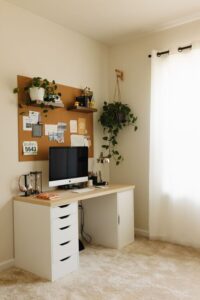
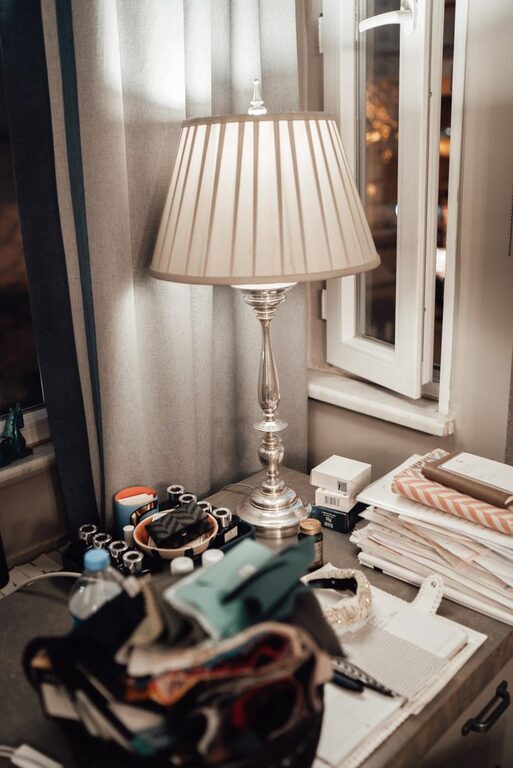
Creating a home office that balances comfort and functionality can greatly enhance your productivity and well-being. Whether you’re working remotely full-time or occasionally need a quiet spot for focused tasks, a thoughtfully designed workspace can make all the difference. In this post, we’ll explore practical tips to help you build a cozy and efficient home office that fits your lifestyle.
1. Choose the Right Location
The first step is selecting a spot in your home where you can work without distractions. Here are a few considerations:
– Natural Light: Position your desk near a window if possible. Natural light boosts mood and reduces eye strain.
– Quiet Environment: Avoid high-traffic areas to minimize noise and interruptions.
– Space Availability: Make sure there’s enough room for your desk, chair, and storage needs without overcrowding.
If space is limited, consider creative solutions like converting a closet, using a corner nook, or adding a foldable desk.
2. Invest in Comfortable and Ergonomic Furniture
Comfort is key when setting up your office. Investing in ergonomic furniture promotes good posture and reduces discomfort during long working hours.
– Office Chair: Choose an adjustable chair with proper lumbar support.
– Desk: Make sure the desk height matches your chair and allows you to maintain a neutral wrist position while typing.
– Footrest: If your feet don’t rest flat on the floor, a footrest can prevent strain.
Ergonomic accessories such as keyboard trays and monitor stands can also improve your setup.
3. Organize Your Space for Efficiency
A cluttered desk can lead to distraction and stress. To keep your workspace functional, use smart organization strategies:
– Storage Solutions: Use shelves, filing cabinets, or storage boxes to keep documents and supplies tidy.
– Desk Organizers: Small containers or trays help organize pens, papers, and accessories within reach.
– Cable Management: Use clips, ties, or sleeves to keep cords neat and prevent tangling.
Regularly declutter and only keep items you use frequently on your desk.
4. Personalize Your Workspace
Adding personal touches creates a welcoming environment, making you more inclined to spend time in your office. Consider:
– Artwork or Photos: Hang inspiring art or family photos that bring positivity.
– Plants: Indoor plants improve air quality and add a calming natural element.
– Soft Textiles: A small rug or cozy throw blanket can make the space more inviting.
Keep personalization balanced so it doesn’t become a distraction.
5. Optimize Lighting
Good lighting is essential to reduce eye strain and maintain focus.
– Layered Lighting: Combine ambient light (overhead lamps), task lighting (desk lamps), and accent lighting.
– Adjustable Desk Lamps: Choose lamps with adjustable brightness and positioning to suit different tasks.
– Avoid Glare: Position screens to avoid reflection from windows or lights.
If natural light is limited, consider daylight-simulating bulbs to mimic sunlight.
6. Create Zones Within Your Office
If your office space is large enough, creating zones can enhance efficiency:
– Work Zone: Main desk area for computer work and meetings.
– Reading or Planning Area: A comfortable chair with good lighting for reviewing documents or brainstorming.
– Storage Zone: Shelving or cabinets to keep office essentials.
Visually separating these areas helps maintain focus and organizes tasks better.
7. Make Technology Work for You
Reliable technology is the backbone of a functional home office.
– High-Speed Internet: Ensure your connection supports video calls and cloud applications smoothly.
– Quality Webcam and Microphone: Clear audio and video improve communication during virtual meetings.
– Cable Organization: Keep wires tidy and accessible.
Regularly update your devices and software to maximize efficiency and security.
8. Maintain Comfort and Air Quality
Physical comfort goes beyond furniture and lighting:
– Temperature Control: Use fans, heaters, or air conditioning as needed to stay comfortable.
– Air Quality: Ventilate your space regularly and consider air purifiers if necessary.
– Break Area: Keep water, snacks, or a small break spot nearby to refresh without leaving the room.
Taking care of your physical needs supports sustained productivity.
9. Establish Boundaries and Routine
Even the best workspace needs boundaries to separate work time from personal time:
– Set Work Hours: Keep a consistent schedule to maintain balance.
– Avoid Work Creep: Turn off work devices after hours to signal the end of the day.
– Communicate Boundaries: Let family or housemates know your work schedule to minimize interruptions.
A dedicated home office makes it easier to leave work behind when the day is done.
—
By combining comfort, organization, and thoughtful design, you can create a home office that supports your work and well-being. Start with these tips, customize the space to your needs, and enjoy a cozy, productive environment right at home.